Screen Time Limits for Preschoolers: WHO, AAP & HPB (2026)
How much screen time for a 4-6 year old? WHO, AAP, and Singapore HPB guidelines for preschoolers, plus practical tips to set and healthy limits.
QuizKin Team
Published 18 April 2026
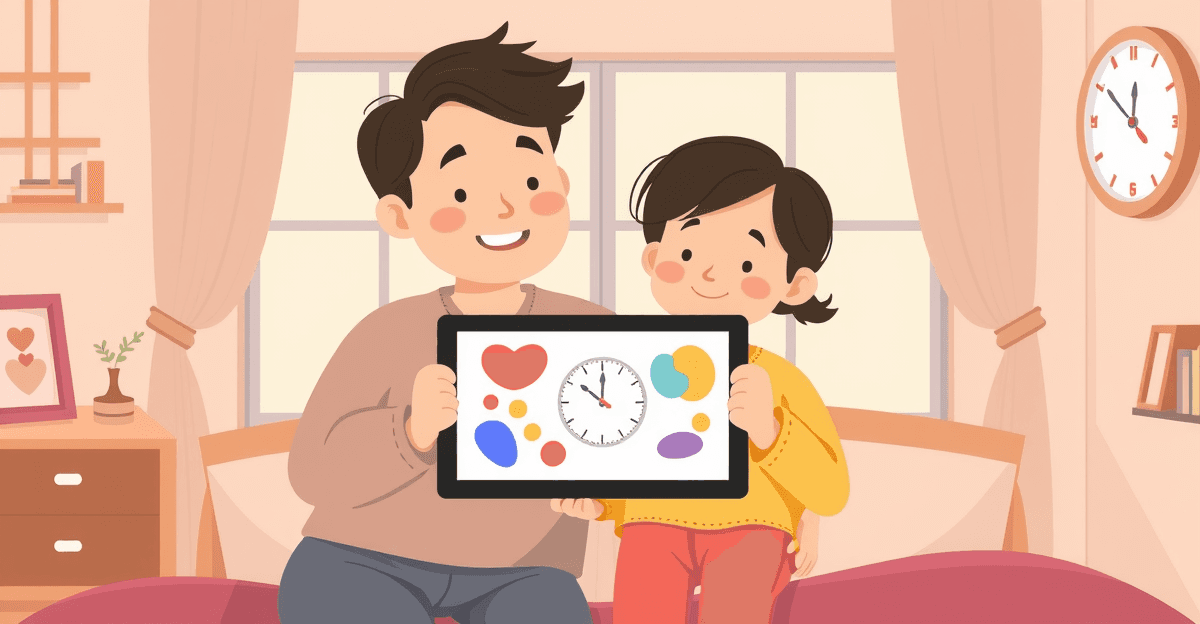
Let me be honest: I hand my phone to my 4-year-old at restaurants too. That moment when you're waiting for food, your kid is climbing the chair, and you just need ten minutes to eat something warm — yeah, the phone comes out. The guilt arrives roughly thirty seconds later.
Screen time is the topic that makes every Singapore parent feel like they're failing. You know the guidelines. You've seen the headlines about screen addiction and shrinking attention spans. And yet your child uses a tablet at school, watches videos at Ah Ma's house on weekends, and somehow still managed to learn the alphabet. The contradiction is exhausting.
TL;DR: How much screen time for a 4-6 year old? WHO, AAP, and Singapore HPB guidelines for preschoolers, plus practical tips to set and enforce healthy limits.
Here's the thing: screen time isn't going away. The question was never really whether your child would have it — it's how to make it work without the guilt spiral. This guide pulls together the latest guidelines from the WHO, AAP, and Singapore's HPB, cuts through what the research actually says (versus what the headlines say), and gives you real strategies for managing screen time in 2026.
The Official Guidelines
Three organisations set the screen time guidelines that Singapore paediatricians and schools reference. Here is what each says.
World Health Organisation (WHO)
The WHO's guidelines on physical activity, sedentary behaviour, and sleep for children under 5:
- Under 1 year: No screen time at all
- 1-2 years: No sedentary screen time (video calling with family is acceptable)
- 2-4 years: No more than 1 hour per day; less is better
- 5 and older: No specific time limit, but screen time should not replace physical activity or sleep
American Academy of Pediatrics (AAP)
The AAP's media use guidelines:
- Under 18 months: Avoid screen time (except video calls)
- 18-24 months: Only high-quality content, co-viewed with a parent
- 2-5 years: No more than 1 hour per day of high-quality programming
- 6 and older: Consistent limits; create a Family Media Plan
Singapore Health Promotion Board (HPB)
Singapore's HPB aligns broadly with the WHO and AAP:
- Under 2 years: Avoid all screen time
- 2-5 years: Limit to 1 hour per day
- All ages: No screens during meals, no screens in the hour before bedtime
The HPB also emphasises that screen time shouldn't replace outdoor play — they recommend 2-3 hours of outdoor activity per day for preschoolers. Which, if you've tried to get a 4-year-old outside at 2pm in June, you know is its own kind of challenge.
What All Three Agree On
Despite minor differences, all three organisations agree on these core principles:
- Quality matters more than quantity. Interactive, educational content is categorically different from passive video watching.
- Screen time should not displace sleep, physical activity, or social interaction.
- Co-viewing is better than solo use for children under 5.
- No screens before bed. Blue light and stimulation disrupt sleep.
- 1 hour is the maximum for children aged 2-5. Less is better, but 1 hour of quality content is not harmful.
Passive vs Active Screen Time: The Distinction That Matters
This is the single most important concept in the whole screen time conversation — and it's the one that most parenting advice glosses over. Treating all screen time as equivalent is like treating all food as equivalent. A bowl of vegetables and a bowl of sweets are not the same thing, even though they're both "food."
Passive Screen Time
Passive screen time is consumption without interaction. The child watches, scrolls, or sits while content plays — they're not required to do anything.
Examples:
- Watching YouTube videos
- Scrolling through short-form video apps
- Watching TV shows or movies without discussion
- Being parked in front of a screen while parents are busy
This is the screen time the research warns about. Excessive passive screen time is associated with:
- Reduced attention spans
- Delayed language development (when it displaces conversation)
- Disrupted sleep patterns
- Reduced physical activity
- Increased risk of obesity
Active Screen Time
Active screen time requires the child to think, respond, and make decisions. They're a participant, not just a viewer.
Examples:
- Solving phonics quizzes or maths problems in an educational app
- Drawing or creating on a digital canvas
- Video calling with relatives (real interaction)
- Playing age-appropriate puzzle or strategy games
- Coding or logic games
This type of screen time has a much smaller negative impact and can be genuinely educational. Research from the Joan Ganz Cooney Center shows that well-designed educational apps can be as effective as one-on-one tutoring for foundational academic skills. That finding surprised me when I first came across it — but it makes sense when you think about it.
The Practical Implication
When your child spends 20 minutes practising phonics on QuizKin — actively responding to prompts, sounding out letters, working through problems — it's a fundamentally different experience from watching 20 minutes of cartoons. Both count as "screen time" under the guidelines. But their impact on your child's development? Not remotely comparable.
This doesn't mean active screen time has no limits. Even educational app sessions should be capped at 20-30 minutes. But it does mean you should feel significantly less guilty about those phonics practice sessions than about the YouTube rabbit holes.
Practical Screen Time Management for Singapore Families
Strategy 1: Create a Screen Time Schedule
The biggest shift that actually works for most families is moving from ad hoc screen time (whenever the child asks, or whenever you need five minutes of quiet) to a predictable schedule.
| Time Slot | Type | Duration | Example |
|---|---|---|---|
| Morning (after breakfast) | Educational app | 15-20 min | QuizKin phonics/maths practice |
| Afternoon (after nap/rest) | Creative or educational | 15-20 min | Drawing app or educational games |
| Weekend bonus | Entertainment | 20-30 min | Age-appropriate shows or videos |
Total: 30-40 minutes on weekdays, up to 60 minutes on weekends.
Schedules work better than time-based rules ("you can have 30 minutes") because they remove the daily negotiation. Screen time happens at specific times — not whenever your child decides to campaign for it. And trust me, they will campaign hard.
Strategy 2: Use Visual Timers
Young children genuinely have no concept of "20 minutes." It's an abstract number that means nothing to them. Use a visual timer — either a physical sand timer or a timer app that shows a shrinking circle — so your child can actually see when screen time is ending. Give a 5-minute and 2-minute warning.
This one change dramatically reduces end-of-screen-time tantrums. The tantrum is almost never really about the screen — it's about the sudden, unexpected transition. When a child can see time running out, they can mentally prepare. It sounds small. It genuinely isn't.
Strategy 3: Co-View When Possible
For children aged 2-5, sitting alongside your child during screen time significantly increases its educational value. When you're there, you can:
- Ask questions ("What sound does that letter make?")
- Connect app content to real life ("We saw a triangle like that at the playground")
- Extend the learning after the screen is off
You don't need to do this every session — that's not realistic. But aim for 2-3 co-viewing sessions per week. Even ten minutes of engaged co-viewing changes the nature of the activity entirely.
Strategy 4: Screen-Free Zones and Times
Establish non-negotiable screen-free rules. The key word there is non-negotiable — the rules that work are the ones with zero exceptions, not the ones that bend when your child is particularly persistent.
- No screens during meals. Meals are for eating, talking, and family connection.
- No screens in the hour before bedtime. This protects sleep quality — more on that below.
- No screens in the bedroom. Keep charging stations in common areas.
- No screens during outdoor play. Outdoor time is movement time.
The guilt is real when you break these. But the consistency pays off — kids actually settle faster when the rules are predictable.
Strategy 5: Replace, Do Not Just Remove
"No more tablet" without offering an alternative is basically a guaranteed meltdown. When screen time ends, have a specific activity ready — not just "go play."
- "Screen time is done — let's build something with blocks"
- "Time to go to the playground"
- "Let's read a book together"
The transition from screen to activity is so much easier when the next thing is concrete and ready to go. Vague instructions ("go find something to do") leave a vacuum. Kids fill vacuums by asking for the screen back.
Quality Screen Time: What to Look For
Not all educational content is created equal. Not even close. Here's how to evaluate whether what your child is using is genuinely educational or just cleverly branded.
Signs of Quality Educational Content
- Clear learning objective. The app teaches specific skills (phonics, numeracy) rather than vaguely being "educational."
- Active participation. The child makes decisions, solves problems, and responds to prompts.
- Adaptive difficulty. The content adjusts to the child's level — harder when they succeed, easier when they struggle.
- Feedback loops. The child receives immediate feedback on their responses.
- Session limits. The app encourages short, focused sessions rather than unlimited use.
- No manipulative design. No lootboxes, gacha mechanics, surprise eggs, or autoplay that loops endlessly.
Signs of Low-Quality "Educational" Content
- Branding says "educational" but the child mostly watches animations
- Flashy rewards and celebrations that are more about dopamine than learning
- Autoplay that keeps content rolling without the child needing to do anything
- In-app purchases that the child can accidentally trigger
- Advertising targeted at children
Recommended Quality Screen Time Activities
- Phonics and literacy apps — QuizKin for Singapore-aligned phonics, Khan Academy Kids for broader coverage
- Drawing and creativity apps — Digital art tools where the child creates rather than consumes
- Video calls with family — Genuine social interaction, excluded from screen time limits by all guidelines
- Age-appropriate puzzle games — Logic and problem-solving games that require thinking
For detailed app reviews and recommendations, see our guide on the best educational apps for preschoolers in Singapore.
The Research in Context
What the Research Actually Shows
I want to push back gently on the way screen time research gets reported — because the headlines are often more alarming than the actual findings.
- Correlation, not causation. Most studies show that children who watch excessive screens have worse outcomes. But these children also tend to have less parental interaction, less outdoor play, and less structured routines. Screen time may be a symptom of broader circumstances, not the independent cause.
- Dose matters enormously. Studies consistently show that moderate screen time — under 1 hour per day — has minimal or no negative effects when it doesn't displace sleep, physical activity, or social interaction. The alarming findings come from heavy use. Three-plus hours a day. That's a very different situation from 30 minutes of phonics practice.
- Content matters. Studies that distinguish between educational and entertainment screen time find significant differences. The negative effects are concentrated in passive, entertainment-focused use.
- Context matters. A child who uses an educational app for 20 minutes after a morning of outdoor play and family interaction is in a completely different situation from a child watching videos for 3 hours because no other activities are available.
The research is real. The concern is legitimate. But the nuance matters — and it's often the first thing to disappear in a parenting headline.
The Singapore Context
Singapore families face screen time pressures that parents elsewhere don't fully contend with. Small apartments make it harder to provide diverse indoor activities — though many fun learning activities genuinely need no extra space. Our heat and humidity limits outdoor time during parts of the day. Academic expectations create pressure to use educational apps. Dual-income households rely on helper or grandparent care, where screen time management may be less consistent than at home.
And then there's the fact that many kindergartens actively use tablets as part of their curriculum. Your child's school may be building screen time into the day before they even get home. (If you're choosing a device for home, our guide to the best kids tablets Singapore covers parental controls model by model.)
A zero-screen approach is impractical for most Singapore families. The goal is to manage it wisely, not to eliminate it entirely — and to stop measuring your parenting worth against an idealised standard that almost no one is actually meeting.
A Balanced Approach
The evidence points toward a middle ground that most families can actually sustain:
- Keep total screen time under 1 hour per day for children aged 2-5
- Prioritise active over passive screen time
- Choose curriculum-aligned educational apps like QuizKin for the active screen time portion
- Maintain screen-free boundaries for meals, bedtime, and outdoor play
- Don't spiral into guilt over 20-30 minutes of quality educational app time within a balanced daily routine
- Co-view when you can — your presence multiplies the educational value
The perfect is the enemy of the good here. A family managing screen time thoughtfully — even if they occasionally go over the 1-hour mark — is doing far better than one paralysed by guilt and inconsistency. Consistency matters more than perfection.
Building Healthy Digital Habits Early
The habits you establish now will shape your child's relationship with technology for years to come. Not forever — habits can change — but early patterns matter. Children who grow up with clear boundaries, quality content, and balanced routines develop better self-regulation around screens as they get older.
Start with structure. Pick two or three of the strategies above and actually implement them, rather than trying to overhaul everything at once. Be consistent even when it's inconvenient. Choose quality over quantity.
And remember: the goal isn't zero screen time. The goal is a child who uses technology as a tool — for learning, for connection, for creativity — rather than as a default escape from boredom. That's a goal that's actually achievable. Even for parents who sometimes hand over their phone at restaurants.
For more on choosing the right educational apps and making screen time productive, read our guide on productive screen time and educational apps.
Frequently Asked Questions
How much screen time is recommended for a 4-year-old in Singapore?
Singapore's Health Promotion Board (HPB) and the World Health Organisation (WHO) both recommend no more than 1 hour of screen time per day for children aged 2-5. The American Academy of Pediatrics (AAP) aligns with this recommendation. However, all three organisations emphasise that the quality of screen time matters as much as the quantity — educational, interactive screen time is treated differently from passive video watching.
Does educational app time count as screen time?
Yes, educational app time counts towards your child's total screen time. However, guidelines increasingly distinguish between passive screen time (watching videos, scrolling) and active screen time (solving problems, creating, interacting with educational content). Active screen time with quality educational apps is considered significantly less harmful and can be genuinely beneficial. The key is keeping total screen time within recommended limits.
Is screen time before bed harmful for preschoolers?
Yes. Research consistently shows that screen use in the 60-90 minutes before bedtime disrupts sleep quality in young children. The blue light from screens suppresses melatonin production, and stimulating content makes it harder for children to wind down. If your child uses educational apps, schedule them earlier in the day — ideally in the morning or early afternoon.
My child has tantrums when I take away the tablet. What should I do?
This is extremely common and usually indicates that transitions are the issue, not screen time itself. Give a 5-minute warning before screen time ends. Use a visible timer the child can see counting down. Have a specific activity ready for after screen time (not just "stop and do nothing"). Be consistent — if the rule is 20 minutes, always enforce it. Tantrums typically reduce within 1-2 weeks of consistent boundary-setting.
Are video calls with grandparents considered screen time?
Video calls are generally excluded from screen time limits by all major guidelines (WHO, AAP, HPB). Interactive video calling with family members involves real social interaction — the child is responding, communicating, and engaging with a person. This is fundamentally different from passive media consumption. That said, very long video calls can still be tiring for young children, so keep them to a reasonable duration.
Sources
- Guidelines on Physical Activity, Sedentary Behaviour and Sleep for Children Under 5 — World Health Organisation (WHO), 2019
- Media and Children — American Academy of Pediatrics (AAP)
- HPB — Health Promotion Board
- HealthHub Singapore — Screen Time for Children
- Joan Ganz Cooney Center — Learning at Home
Looking for more? Check out find a tutor for free on TuitionLah.
Exploring parenthood in Singapore? Visit ParentLah for practical tips on raising kids in Singapore.
Practise what you’ve read with QuizKin
Adaptive quizzes covering phonics, sight words, numbers, and more — aligned with the Singapore MOE curriculum. Start your free Premium trial today.
Frequently Asked Questions
Singapore's Health Promotion Board (HPB) and the World Health Organisation (WHO) both recommend no more than 1 hour of screen time per day for children aged 2-5. The American Academy of Pediatrics (AAP) aligns with this recommendation. However, all three organisations emphasise that the quality of screen time matters as much as the quantity — educational, interactive screen time is treated differently from passive video watching.
Yes, educational app time counts towards your child's total screen time. However, guidelines increasingly distinguish between passive screen time (watching videos, scrolling) and active screen time (solving problems, creating, interacting with educational content). Active screen time with quality educational apps is considered significantly less harmful and can be genuinely beneficial. The key is keeping total screen time within recommended limits.
Yes. Research consistently shows that screen use in the 60-90 minutes before bedtime disrupts sleep quality in young children. The blue light from screens suppresses melatonin production, and stimulating content makes it harder for children to wind down. If your child uses educational apps, schedule them earlier in the day — ideally in the morning or early afternoon.
This is extremely common and usually indicates that transitions are the issue, not screen time itself. Give a 5-minute warning before screen time ends. Use a visible timer the child can see counting down. Have a specific activity ready for after screen time (not just 'stop and do nothing'). Be consistent — if the rule is 20 minutes, always enforce it. Tantrums typically reduce within 1-2 weeks of consistent boundary-setting.
Video calls are generally excluded from screen time limits by all major guidelines (WHO, AAP, HPB). Interactive video calling with family members involves real social interaction — the child is responding, communicating, and engaging with a person. This is fundamentally different from passive media consumption. That said, very long video calls can still be tiring for young children, so keep them to a reasonable duration.
Ready to make learning fun?
QuizKin turns screen time into learning time with adaptive quizzes built for K1-K2 kids in Singapore. Free to start.
Related Articles
How to Choose Educational Apps That Actually Teach
Not all kids' apps are educational. What makes an app effective for preschoolers: active learning, curriculum alignment, adaptive difficulty, and red flags.
Screen Time Rules for Preschoolers: Singapore Parents' Guide to Healthy Limits
Practical guide to managing screen time for preschoolers in Singapore. Evidence-based rules, MOE recommendations, and tips for balancing learning apps with offline play.
Building a Growth Mindset in Your K1-K2 Child: Tips for Singapore Parents
Help your K1-K2 child develop a growth mindset at home with practical Singapore-parent strategies — praise effort, embrace mistakes, and build resilience for school.