Screen Time Rules for Preschoolers: Singapore Parents' Guide to Healthy Limits
Practical guide to managing screen time for preschoolers in Singapore. Evidence-based rules, MOE recommendations, and tips for balancing learning apps with offline play.
QuizKin Team
Published 31 May 2026
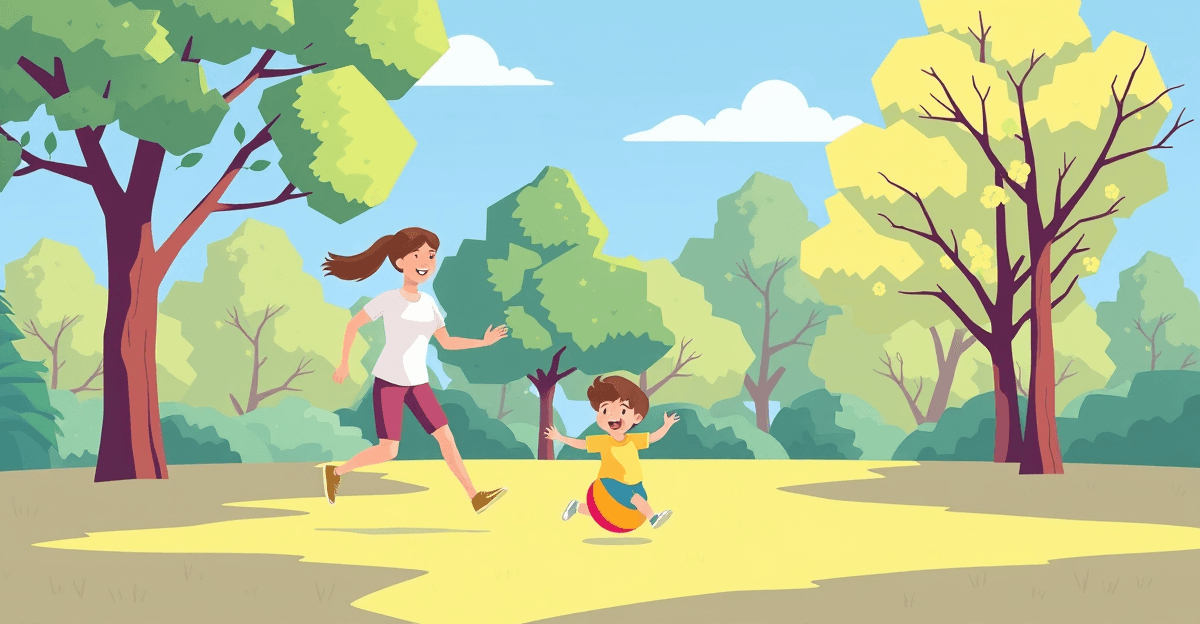
Every Singapore parent faces the same daily negotiation. Your child wants more iPad time. You want to be a responsible parent. And somewhere between guilt about being too strict and worry about being too lenient, you need practical rules that actually work in a modern Singaporean household.
TL;DR: Practical guide to managing screen time for preschoolers in Singapore. Evidence-based rules, MOE recommendations, and tips for balancing learning apps with offline play.
This is not another article telling you screens are bad. You already know that excessive screen time is harmful. What you need are specific, actionable rules that fit real life -- including the reality that educational apps can genuinely help your child learn, and that a complete screen ban is neither practical nor necessary.
What the Evidence Actually Says
The Official Guidelines
The Health Promotion Board (HPB) in Singapore aligns with international paediatric recommendations: children aged 3 to 5 should have no more than 1 hour of screen time per day. For children under 2, the recommendation is zero screen time (except video calls with family).
But here is what the guidelines often miss: the quality of screen time matters as much as the quantity.
A 2024 meta-analysis published in JAMA Pediatrics found that interactive educational apps produced measurable learning gains in literacy and numeracy for preschoolers, while passive video watching showed no educational benefit and was associated with reduced attention spans. The distinction between active and passive screen use is critical.
Active vs Passive Screen Time
Active screen time involves your child thinking, responding, and making decisions. This includes:
- Educational apps with interactive exercises (phonics practice, maths puzzles, quiz games)
- Creative apps (drawing, music creation, building)
- Video calls with grandparents or family
Passive screen time involves watching without participating. This includes:
- YouTube videos (even "educational" ones)
- TV shows and cartoons
- Watching someone else play games
The practical takeaway: within your child's daily screen time allowance, maximise active screen time and minimise passive watching.
Five Practical Screen Time Rules That Work
Rule 1: Set a Daily Budget, Not a Ban
Give your child a clear daily screen time budget. For most K1 and K2 children in Singapore, 30 to 60 minutes per day works well. This is not a target to hit -- it is a ceiling.
Break this into two sessions rather than one block:
- 15-20 minutes of educational app time (phonics, maths, or reading practice)
- 15-20 minutes of free choice (a show they enjoy, a creative app)
This structure teaches children that screens serve different purposes: learning and entertainment. Both are valid in moderation.
Rule 2: No Screens Before School or During Meals
Two non-negotiable boundaries make a significant difference:
No screens in the morning before school. Morning screen time makes transitions harder. Children who watch videos before leaving for kindergarten are more likely to have difficult drop-offs and reduced attention in class. Use mornings for breakfast conversation, getting dressed independently, and physical movement.
No screens during meals. Family meals are one of the most important developmental opportunities for preschoolers. Conversation during meals builds vocabulary, social skills, and family connection. A screen on the table eliminates all of these benefits.
Rule 3: End Screens 1 Hour Before Bedtime
The blue light from screens suppresses melatonin production, making it harder for children to fall asleep. But the issue is not just light -- it is stimulation. An exciting app or show revs up a child's brain right when it needs to wind down.
Create a screen-free zone from 7pm onwards (adjust based on your child's bedtime). Replace evening screen time with:
- Reading together (physical books)
- Bath time and getting ready for bed
- Quiet play with toys or drawing
- Talking about their day
This single rule often produces the most dramatic improvement in sleep quality and morning mood.
Rule 4: Choose Quality Over Convenience
Not all apps are created equal. When selecting educational apps for your preschooler, look for:
Curriculum alignment: Apps that follow Singapore's MOE NEL framework or recognised phonics programmes (like synthetic phonics with 42 letter sounds) reinforce what your child learns in kindergarten rather than contradicting it.
Adaptive difficulty: Good educational apps adjust to your child's level. If exercises are always too easy, the child is not learning. If always too hard, they get frustrated. Apps like QuizKin use adaptive questioning to stay in the productive learning zone.
Built-in limits: Apps that include session timers or daily limits help enforce boundaries without making you the bad guy. When the app itself says "great job, let's take a break," children accept it more readily than a parent confiscating a device.
No manipulative design: Avoid apps with endless scrolling, autoplay, loot boxes, or aggressive notifications. These features are designed to maximise engagement, not learning.
Rule 5: Be Present During Screen Time
For preschoolers, co-viewing and co-playing make screen time significantly more educational. When you sit with your child during an educational app session, you can:
- Ask questions about what they are doing ("What sound does that letter make?")
- Connect app content to real life ("We saw that animal at the zoo, remember?")
- Help them when they are stuck without just giving answers
- Model healthy screen use
You do not need to be present for every minute, but aim to be involved for at least part of each session. This transforms screen time from a digital babysitter into a shared learning experience.
Managing Screen Time in a Multi-Device Household
The Singapore Reality
Most Singapore households have multiple devices: parents' phones, a shared tablet, a TV, sometimes a laptop. Your child has access to screens everywhere. Rules need to account for this reality.
Designate one device for your child's use. A family tablet chosen for learning with a child profile is easier to manage than multiple devices. Install only approved apps, set up parental controls, and keep the device in a common area (not the bedroom).
Talk to your helper or grandparents. In many Singaporean families, domestic helpers or grandparents care for children during the day. If your screen time rules are different from theirs, the rules will not stick. Have an explicit conversation about the daily screen time budget and which apps or shows are approved. Write it down if needed.
Model the behaviour you want. Children who see parents constantly on their phones learn that screens are the default activity. During family time, put your own phone away. This is harder than any rule you set for your child, but it is the most powerful one.
When to Be Flexible
Rigid rules breed resentment. There are legitimate times to relax screen time limits:
- Sick days: A child with a fever needs rest and comfort. Extra screen time during illness is fine.
- Long journeys: A tablet on a 4-hour flight to visit grandparents is practical and sensible.
- Special occasions: Movie nights, watching National Day together, or a new educational show you want to explore together.
The goal is a healthy baseline with room for real life. If your child averages 30-45 minutes of mostly educational screen time on normal days, occasional days with more will not cause harm.
Signs Your Current Approach Needs Adjusting
Pay attention to these signals that screen time may need to be reduced:
- Your child asks for screens as the first activity every morning
- Removing a device triggers intense emotional reactions (beyond normal disappointment)
- Your child shows reduced interest in toys, books, or outdoor play
- Teachers report attention difficulties at kindergarten
- Your child struggles to play independently without a screen
- Sleep has deteriorated -- difficulty falling asleep, waking during the night, or morning grogginess
If you see several of these patterns, reduce screen time gradually (not cold turkey) and replace it with specific alternative activities. A sudden ban often backfires and creates power struggles.
Building Lifelong Digital Habits
The screen time rules you establish now are not just about the preschool years. You are building your child's relationship with technology for life. Children who learn to use screens intentionally -- as tools for specific purposes, within clear boundaries -- are better equipped for the digital demands of primary school and beyond.
In Singapore's education system, technology use increases significantly from Primary 1. Children will use devices for homework, research, and communication. The foundation you build now -- screens as tools, not entertainment defaults; clear boundaries; self-regulation -- gives your child a genuine advantage.
Start with clear rules, be consistent but flexible, choose quality content, and stay involved. That is the entire framework. Everything else is detail.
Sources
- Guidelines on Physical Activity, Sedentary Behaviour and Sleep for Children Under 5 — World Health Organisation (WHO), 2019
- Media and Children — American Academy of Pediatrics (AAP)
- HPB — Health Promotion Board
- HealthHub Singapore — Screen Time for Children
Looking for more? Check out find a tutor for free on TuitionLah.
Exploring parenthood in Singapore? Visit ParentLah for practical tips on raising kids in Singapore.
Practise what you’ve read with QuizKin
Adaptive quizzes covering phonics, sight words, numbers, and more — aligned with the Singapore MOE curriculum. Start your free Premium trial today.
Frequently Asked Questions
The Health Promotion Board (HPB) and the American Academy of Pediatrics (AAP) recommend a maximum of 1 hour of screen time per day for children aged 3-5. This includes all screens: TV, tablets, phones, and computers. Within that hour, prioritise high-quality educational content over passive video watching. Short, focused sessions of 15-20 minutes are more effective than one continuous block.
Yes, educational app time counts toward your child's daily screen time total. However, not all screen time is equal. Interactive educational apps where children actively participate (answering questions, solving problems, practising skills) are significantly more beneficial than passive content like YouTube videos. The AAP distinguishes between active and passive screen use, recommending that if children do use screens, it should be high-quality, interactive content.
Warning signs include difficulty falling asleep (especially if screens are used before bedtime), increased irritability when devices are taken away, reduced interest in offline play and social interaction, shortened attention span during non-screen activities, and eye strain symptoms like rubbing eyes or headaches. If you notice these patterns, gradually reduce screen time and increase outdoor and hands-on activities.
Complete screen bans are not recommended by most paediatric experts. In Singapore's education system, children will increasingly encounter technology from Primary 1 onwards. The goal is to build healthy habits, not avoidance. Moderate, supervised screen use with quality educational content teaches children to use technology as a tool. The key is balance: screens should complement, not replace, physical play, reading, social interaction, and outdoor time.
Use timers that children can see (visual timers work well for preschoolers), establish consistent daily routines where screen time happens at the same time each day, give a 5-minute warning before screen time ends, and offer an appealing offline activity to transition to. Avoid using screens as rewards or punishments, as this elevates their perceived value. Many educational apps, including QuizKin, have built-in session limits that help enforce boundaries naturally.
Ready to make learning fun?
QuizKin turns screen time into learning time with adaptive quizzes built for K1-K2 kids in Singapore. Free to start.
Related Articles
Building Resilience in Preschoolers: Practical Tips for Singapore Parents (K1-K2)
Help your K1-K2 child build resilience with practical, Singapore-specific tips on growth mindset, emotional skills, and confident learning at home.
Separation Anxiety in Kindergarten: A Singapore Parent's Guide to Smoother Drop-Offs
Practical strategies for managing kindergarten separation anxiety in Singapore. Age-specific tips for K1 and K2, when to worry, and how to make drop-offs easier for you and your child.

Best Educational Apps for 4-Year-Olds in Singapore (2026)
Compare the best educational apps for preschoolers in Singapore. Reviews of QuizKin, Khan Academy Kids, Duolingo ABC and more, with MOE alignment focus.